
Seunghyeon Ji
AI, 검색
Overview
Coxwave's AX team is providing EduTAP, an AI Tutor that helps online learning platform users with their studies. It provides not only quiz contents to check if you have taken the lectures well, but also a chat function to ask the AI about parts you don't understand and receive real-time answers based on the lecture documents. At this time, if the AI provides answers based on irrelevant documents, it will interfere with the user's learning.
In this post, we introduce the process of using RAG architecture and pulling up search accuracy so that the AI can answer based on the most appropriate document for the user's question. Even if you are not familiar with RAG, we have explained it easily focusing on the problems we actually experienced and the process of solving them rather than complex theories, so you can read it without burden.
—
Understanding RAG, Easily
Generative AI is great at making natural sentences and explaining general knowledge. However, it does not know newly registered lecture textbooks, workbooks, and commentary materials in the service. In this state, if a student asks a question, a problem occurs where the AI gives up answering or generates a false answer.

To solve these two problems, the method we chose was RAG. Instead of relying solely on the AI's internal memory, it is a way to accurately find the textbook part that fits the student's question from the database first, provide it as a prompt, and then generate an answer.
—
Introducing Dense Search
To find the textbook that fits the question in RAG, the computer must be able to compare the meaning of sentences. However, because the computer does not know the meaning of the letters themselves, it uses a method of converting text into numbers and calculating the distance.
Vector: A series of numeric coordinates representing the meaning of a sentence as a position in space.
Embedding: The work of converting human-written letters into these vector coordinates, and the AI dedicated to this is called an embedding model.
Vector Search: A technology that mathematically finds the document closest in space to the question vector.
One of the most widely used methods in vector search is Dense Search. Even if the words do not match exactly, if the context and nuance of the entire sentence are similar, they are placed close to each other.
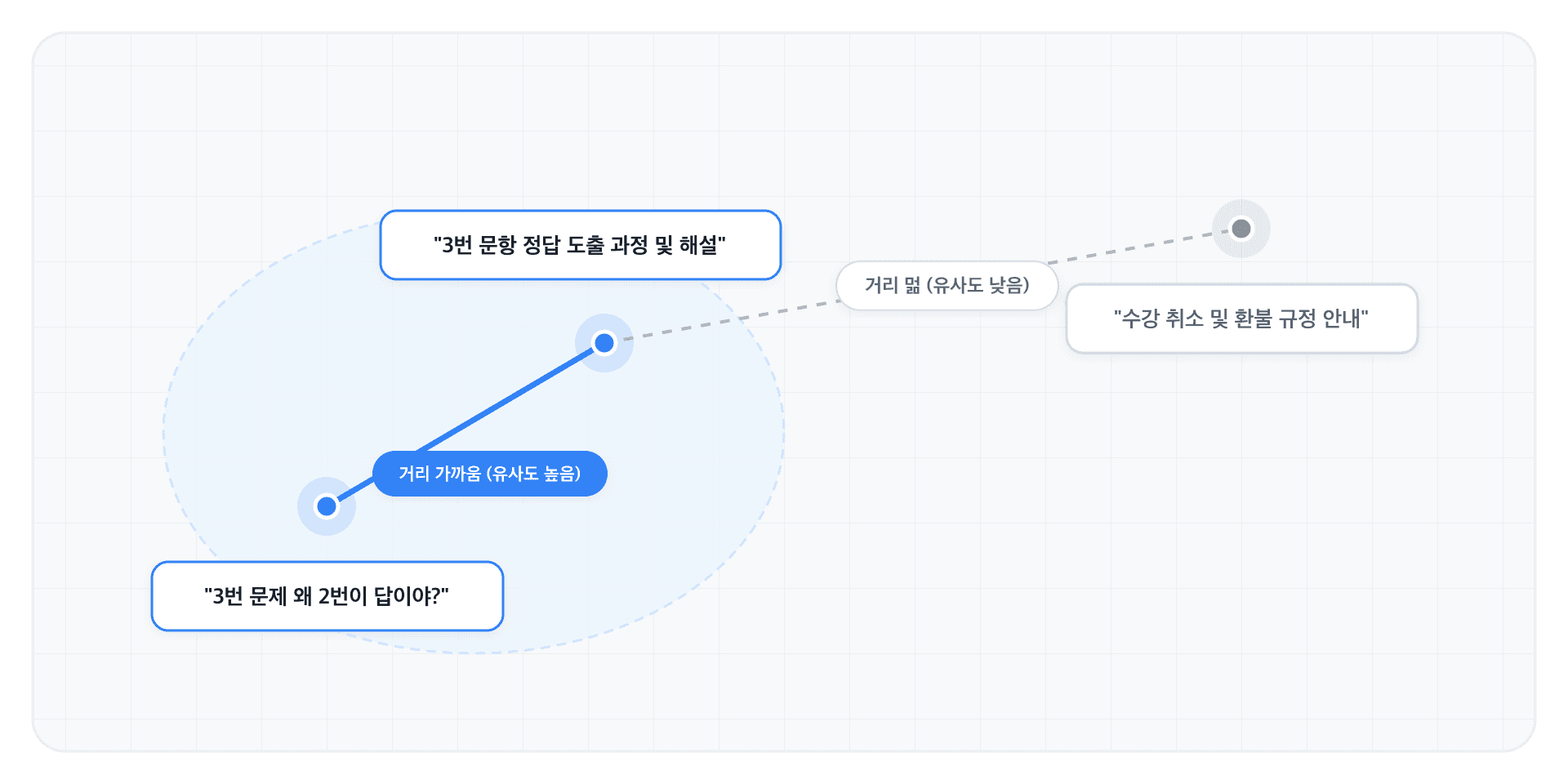
Even if a student asks, "Why is the answer to question 3 number 2?", the document "Question 3 Answer Derivation Process and Commentary" in the textbook is placed very close in space because the expression is slightly different but the meaning is similar. On the other hand, irrelevant documents such as "Course Cancellation and Refund Policy Guide" will be far apart in space.
Therefore, even if students do not use the exact sentence or technical terms written in the textbook, Dense Search understands the nuance of the question and effectively finds relevant commentary materials.
Our team first built a Dense Search pipeline utilizing OpenAI's text-embedding-3-large model to find documents matching student questions in lecture materials. It showed decent search performance on general conceptual questions, but questions where precise identifiers are important needed separate supplementation.
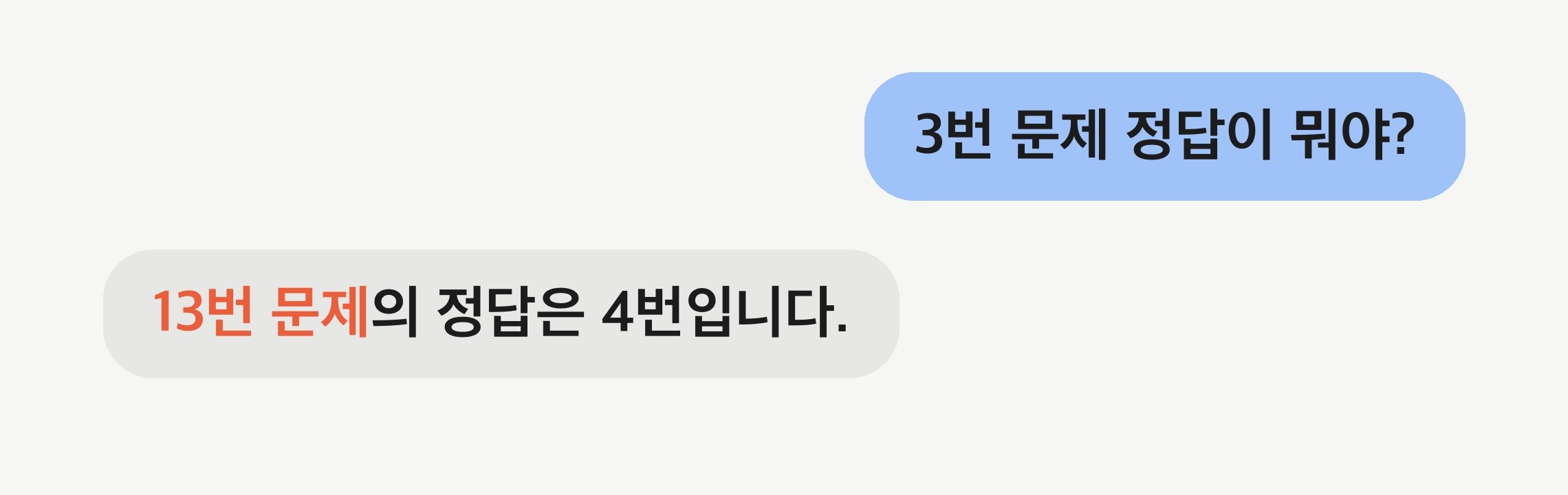
For example, when a student asks "Tell me the answer to question 3," Dense Search alone may not be able to strictly distinguish between questions that are similar in format and context, like questions 3 and 13. Most exam questions in the same textbook have almost identical sentence structures and expressions, such as "Which of the following is correct?" and "Answers and Commentary."
In this state, if a student asks "Tell me the answer to question 3," the AI perceives the context of the sentence's problem, answer, exam, etc., more significantly than the core word '3'. As a result, simply because the passage structure or commentary context is similar, it judges that the document for question 13 is semantically closer than question 3, and a problem occurs where it wrongly finds the document for question 13 as number 1.
—
Introducing Sparse Search
While Dense Search compares the meaning and context of sentences, Sparse Search does not look at the context and strictly checks only whether the letters in the question actually exist in the document. Contrasted with this criterion, 3 and 13 are completely different characters. In the document for question 13, since the key token of the question, 3, does not exist, it gets no vocabulary matching score at all.
However, there was also an obstacle in matching characters as they are. This is because even for the same question 3, the notation format varies by person and textbook.
In the textbook, it is written as 문제 03 (Question 03) or 문제 3 (Question 3), but students might ask as 3번 문제 (Question number 3). If looked at literally, these expressions are treated as different words, which can cause the search to fail. In particular, in notations where only the number remains like 문제 3 (Question 3), since 3 also appears throughout the textbook as a page number or option number, its distinctiveness falls on its own.
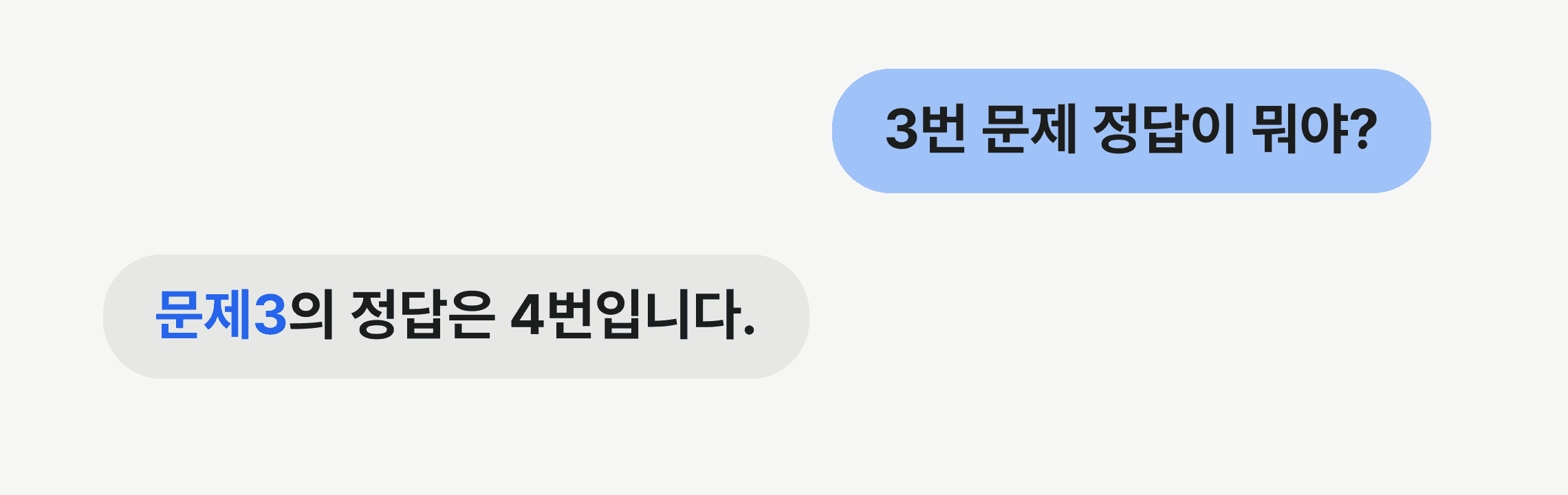
To solve this, we normalized various forms of question number notations such as 문제 03, 문제 3, and 3번 문제 into a single identifier token, 문제3. As a result, questions 3 and 13 came to have completely different unique identifiers, 문제3 and 문제13 respectively, so that documents with matching numbers are searched first.
—
Combining Hybrid Search
Using only Sparse Search creates another problem. This is because students can ask questions using expressions different from the textbook.
Student question: "Why does the demand curve slope downward?"
Textbook text: "The principle of increasing consumption due to falling prices"
If the two sentences have almost no common words, it is difficult to find relevant documents using only Sparse Search. Conversely, Dense Search is strong against such vocabulary discrepancies.
Therefore, EduTAP applied Hybrid Search, which uses Sparse Search that checks accurate notation together with Dense Search that finds semantic similarity. For questions containing question numbers or technical terms, Sparse search catches the exact notation, and in cases where the expression changes like a student's colloquial question, Dense Search supplements with semantically close materials.
When combining the results of the two search methods, weights are needed. Because the range and distribution of scores for Dense Search and Sparse search are different, adding the original scores as they are can cause the results of one side to be excessively reflected. EduTAP compared several ratios in validation data made of actual student questions, and confirmed the highest search performance when reflecting 80% Sparse and 20% Dense in current educational materials.
In exam preparation materials, there were many questions containing precise identifiers like question numbers and technical terms. In this environment, it was advantageous to place a slightly higher weight on keyword matching. However, this ratio is not the correct answer that applies to all services. Since the optimal ratio can change if the nature of the materials and the actual question types change, a continuous verification process with service data is required.
—
Conclusion
What is important in AI Tutor is not just adopting complex models. When a student asks "Explain question 3," the basic foundation of finding question 3 of the current lecture and answering with evidence must be established first.
EduTAP organically applies not only Dense Search that understands meaning, but also BM25-based Sparse search, a metadata filter that narrows the scope to the currently watched lecture, and a re-ranking pipeline that strictly screens the final candidate documents. In the future, we plan to continue improving search accuracy based on actual student questions and search results.